
YAML Quick Look
A Native macOS Extension for YAML Files
QuickLook on the Mac doesn't support previewing the contents of YAML files. You're digging through repos, config files, CI pipeline files, playbooks, terraform plan and you want to peek at a YAML file without opening it.
You hit Space.
Nothing. Just the generic document icon staring back at you.
QuickLook on the Mac supports text files, plists, JSON—but YAML? Nothing out of the box. I fixed that with YAML Quick Look.

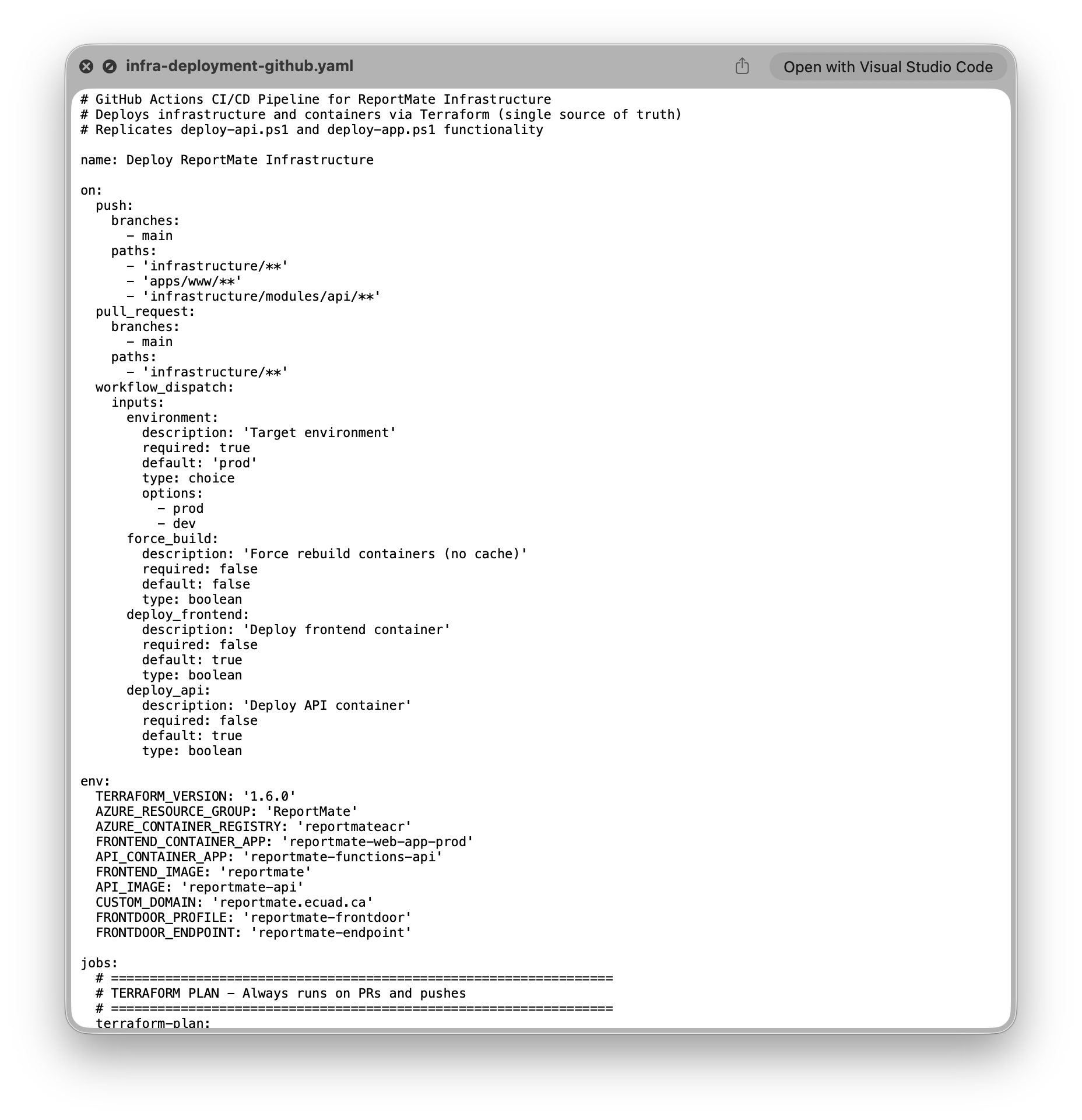
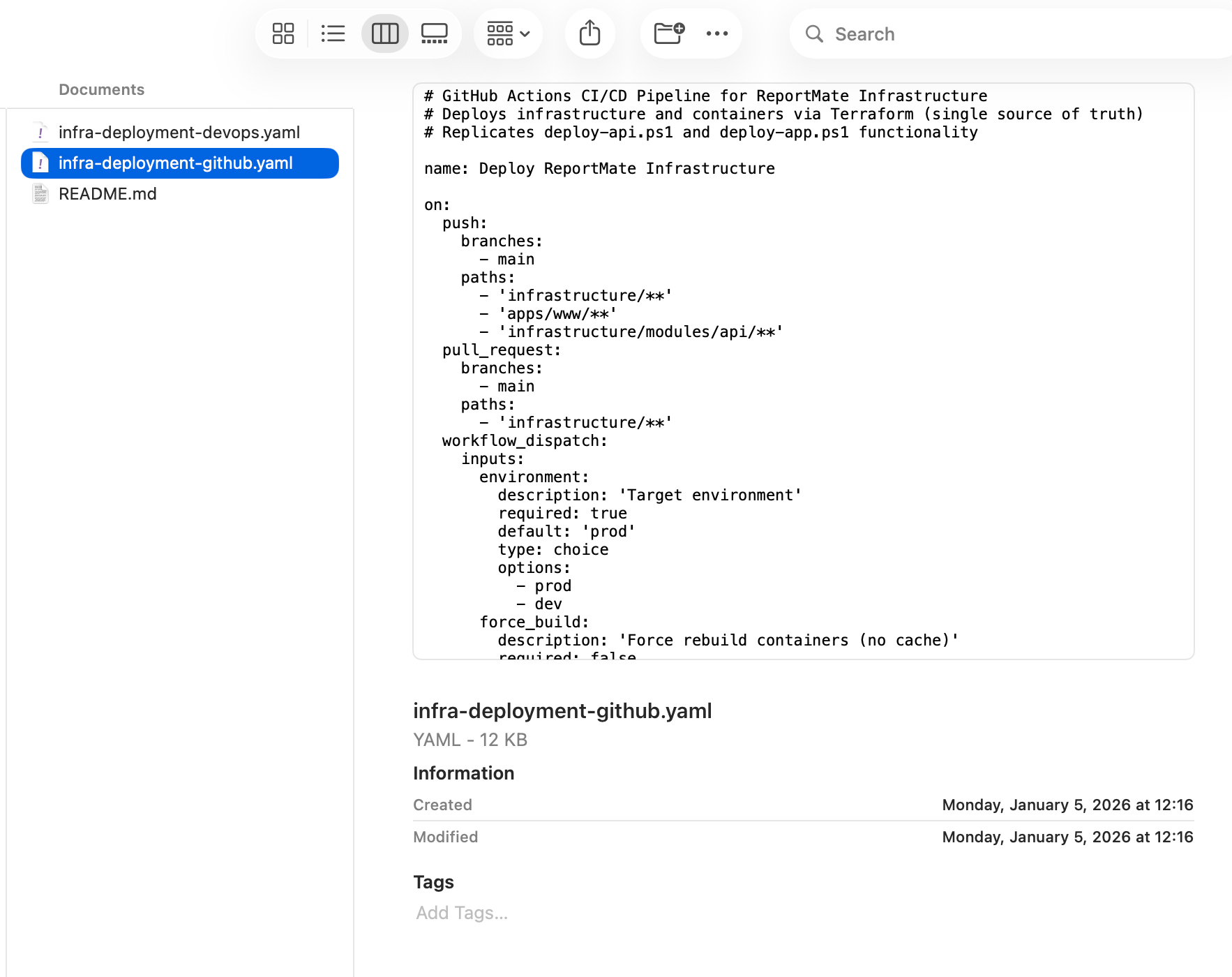
What It Does
It's a native macOS Quick Look extension that does two things:
- Preview: Hit Space on any
.yamlor.ymlfile, and you get a clean, scrollable plain-text view—same experience as.txtor.plist. - Thumbnails: Finder shows file content in the icon itself, so you can tell files apart without opening them.
Dark mode works. Large files are handled (truncated at 10 MB so it doesn't eat your RAM). It uses a shared YAMLFileReader module backing both extensions, so the behaviour is consistent.
It's not a syntax highlighter—that was a deliberate choice. Quick Look is for glancing, not editing. Plain text, monospace, scrollable. That's it.
Why I Wrote This
Honestly, it was scratching my own itch. I spend a lot of time in repos and Terraform configs, and the missing YAML preview was a small but consistent annoyance.
There are third-party alternatives, but most of them are either abandoned, use Homebrew, or are bundled inside larger editor apps. I wanted something clean, native, and deployable via a single pkg.
It's available on GitHub under MIT. It requires macOS 14 Sonoma or later.
The App
The app is three targets:
YamlQuickLook— A lightweight container app. You open it once to register the extensions, then mostly ignore it. I added Status, Preview, and Settings tabs to make it feel like a real app rather than a hollow shell.YamlQuickLookExtension— The Quick Look preview extensionYamlQuickLookThumbnailExtension— The thumbnail generator
The shared module (YamlQuickLookShared) handles all the file reading logic, so both extensions stay thin. The test suite covers 38 cases across the reader—everything from empty files to malformed YAML to files at the size limit.
Installing It
The simplest path: grab the latest zip from Releases, move the app to /Applications, and run the post-install script to strip quarantine and activate the extension:
xattr -cr /Applications/YamlQuickLook.app
pluginkit -a /Applications/YamlQuickLook.app/Contents/PlugIns/YamlQuickLookExtension.appex || true
pluginkit -a /Applications/YamlQuickLook.app/Contents/PlugIns/YamlQuickLookThumbnailExtension.appex || true
qlmanage -r
qlmanage -r cache
Building with Code Signing
The release build isn't code-signed—I don't have (yet) a Developer ID. You can sign and notarize with your own cert for your environment. I plan to release it onto the Mac App Store.
If you want a properly signed and notarized build—which I'd recommend for org-wide deploys—clone the repo and configure signing in Xcode for all three targets:
xcodebuild -scheme YamlQuickLook \
  -configuration Release \
  -derivedDataPath build \
  CODE_SIGN_IDENTITY="Developer ID Application: Your Name (TEAM_ID)" \
  DEVELOPMENT_TEAM="TEAM_ID" \
  clean build
Then notarize it with xcrun notarytool and staple the ticket. The README has the full steps. A signed build skips the xattr step entirely and removes the quarantine friction for your users.
The Makefile also has a make release target that handles the signing and notarization flow if you've set up your credentials in .env.